Shisu Bluetooth Microphones Microphone1
Home Tech
All product details are clearly stated.
Product Overview
Product Description
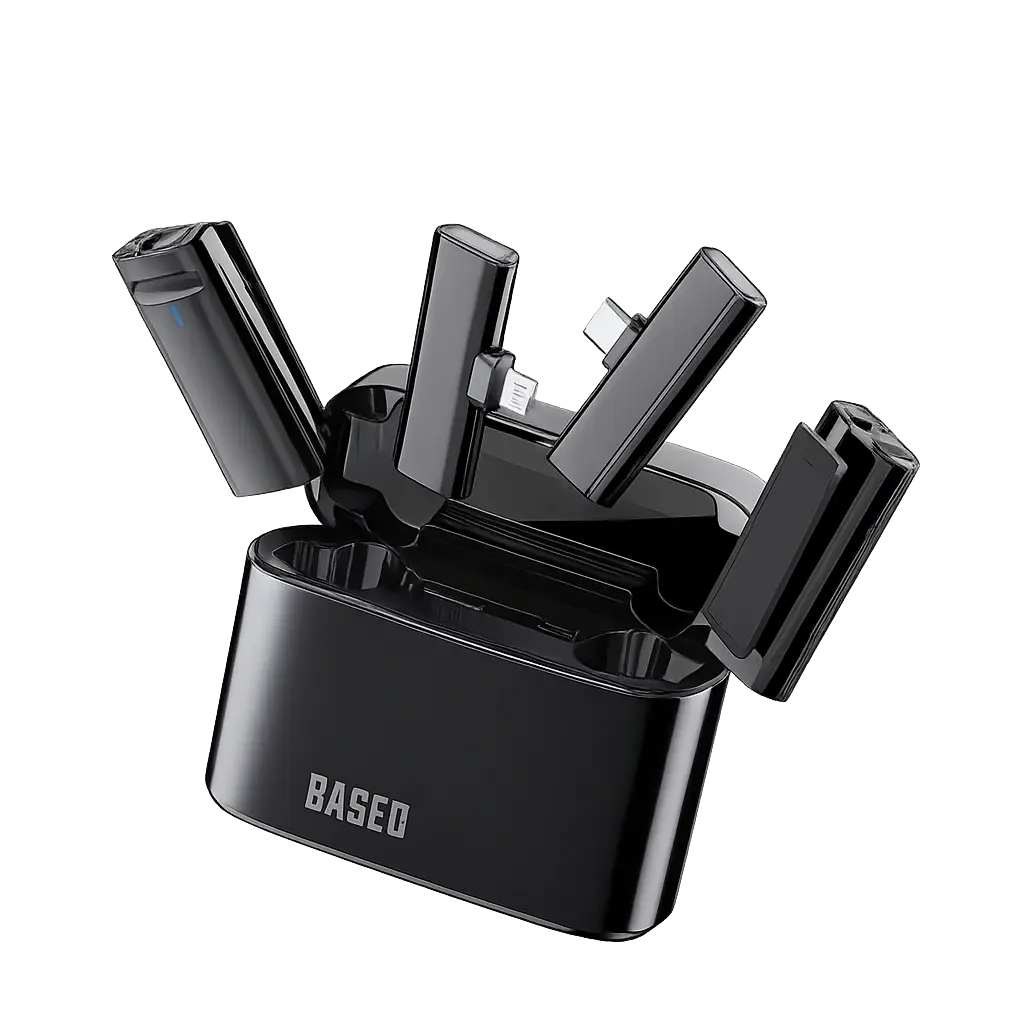
Okay, this is a wireless Bluetooth microphone with a charging/storage stand that makes it easy to use for recording, streaming, or meetings.
It connects quickly to your phone via Bluetooth and delivers clearer sound than your phone's microphone, especially in open spaces.
The stand helps charge, organize, and protect the microphone while you're on the go.
It's perfect for content creation, lessons, or interviews, and it's lightweight enough to take anywhere.
It connects quickly to your phone via Bluetooth and delivers clearer sound than your phone's microphone, especially in open spaces.
The stand helps charge, organize, and protect the microphone while you're on the go.
It's perfect for content creation, lessons, or interviews, and it's lightweight enough to take anywhere.
Technical Specs
Technical specifications
Operating Frequency: 20Hz - 20kHz
Signal-to-Noise Ratio: 75dB
Power Source: Rechargeable lithium battery (included)
Playtime: Up to 30 hours with charging case
Capture Mode: Omnidirectional
Connection: Bluetooth, USB Type-C, Lightning
Compatible Devices: Smartphones, tablets, cameras, and computers
Signal-to-Noise Ratio: 75dB
Power Source: Rechargeable lithium battery (included)
Playtime: Up to 30 hours with charging case
Capture Mode: Omnidirectional
Connection: Bluetooth, USB Type-C, Lightning
Compatible Devices: Smartphones, tablets, cameras, and computers
How To Use
How to use
1. Basic Operating Steps Charging: Ensure the microphone (the small device that attaches to clothing) and the receiver (which connects to the phone) are charged for approximately two hours before first use. Power On: Press and hold the power button on the side of the microphone until the LED indicator lights up. The light will usually flash red, blue, or green while attempting to pair. 2. Connect to Phone (or Device) Connecting the Receiver: Insert the receiver into your phone's charging port (either USB-C or Lightning). Automatic Pairing: Once the receiver is connected and the microphone is powered on, the light on the microphone should turn a solid color (usually green or blue), indicating successful pairing. Note for Android users: If the microphone does not work, you may need to enable USB OTG in your phone's settings. 3. Start Recording Open the camera or voice recorder app on your phone and begin recording. Test: Speak into the microphone and monitor the audio bar in the app to ensure a signal is being received. Mute Feature: A single short press of the power button usually mutes the microphone (the light will change color), and another press unmutes it. 4. Tips for optimal performance: Distance: The microphone works effectively up to 20 meters in open spaces. Noise reduction: Shisuo devices typically feature automatic noise reduction to improve sound quality in crowded environments.
Customer Reviews
Share your experience with this product
Your Dynamic Snippet will be displayed here...
This message is displayed because youy did not provide both a filter and a template to use.